Proud partner

Proud partner
Article


As a business, you want your website to be visible. But that isn’t the only way to achieve online visibility. You can also make your mark on social media. With a suitable Facebook business page, you can show who you are as a company and what you do. This can boost brand awareness and build trust among your target audience. Sounds good? We’ll explain how to create a successful Facebook business page.
Facebook has 6.9 million daily users in the Netherlands. That’s a significant number of people who scroll through their timeline or use the search function every day to look for friends or businesses. As a business owner, it’s important that your business is visible on Facebook. This allows you to introduce even more people to your business. In addition, many users visit a Facebook business page when they’re considering doing business with your company. For this reason, it’s important for your business to be active on Facebook. Ultimately, this leads to greater brand awareness and trust amongst your target audience – provided, of course, that you go about it the right way.
Don’t have a Facebook page at all yet? There’s no time to lose! We’d be happy to give you a few tips on setting up a Facebook page.
1. The very first step is to set up your business profile. Make sure you choose the profile that best suits your business. This will affect the way your business is presented on Facebook.
2. The cover photo or header is the large image at the top of your Facebook business page. Like the profile photo, this is public. Anyone can therefore see these images. So make sure you choose an image that represents your business well. You can tailor the content of your cover photo to current events, such as public holidays or sales.
3. As an administrator, you can add a username to your Facebook business page. The URL your page is initially given is often very long. A custom URL is far better for promoting your page. Once this information has been set, it will improve your page’s ranking in Google’s search results.
4. Next, fill in all further company details. You can include information such as your company’s vision and mission, as well as what people can find on your Facebook page. There is also a section for adding a description. Here, you can include information that doesn’t fit anywhere else, such as your house rules or the story behind your business. Always make sure to keep your writing short and to the point.
5. People who visit your Facebook business page can leave a message or review in the so-called community. Questions are often asked or comments posted regarding a service or product. In this way, you generate interaction with your target audience and actively engage with them.
6. Not unimportant: invite people to ‘like’ your Facebook business page. You can share your link very easily via channels such as email, LinkedIn and Twitter.
7. As an administrator, you can view the page statistics for your Facebook business page. This gives you an insight into your page’s performance. Which posts generated a lot of engagement, and at what times did you receive the most comments? You can use this information to optimise your posts.
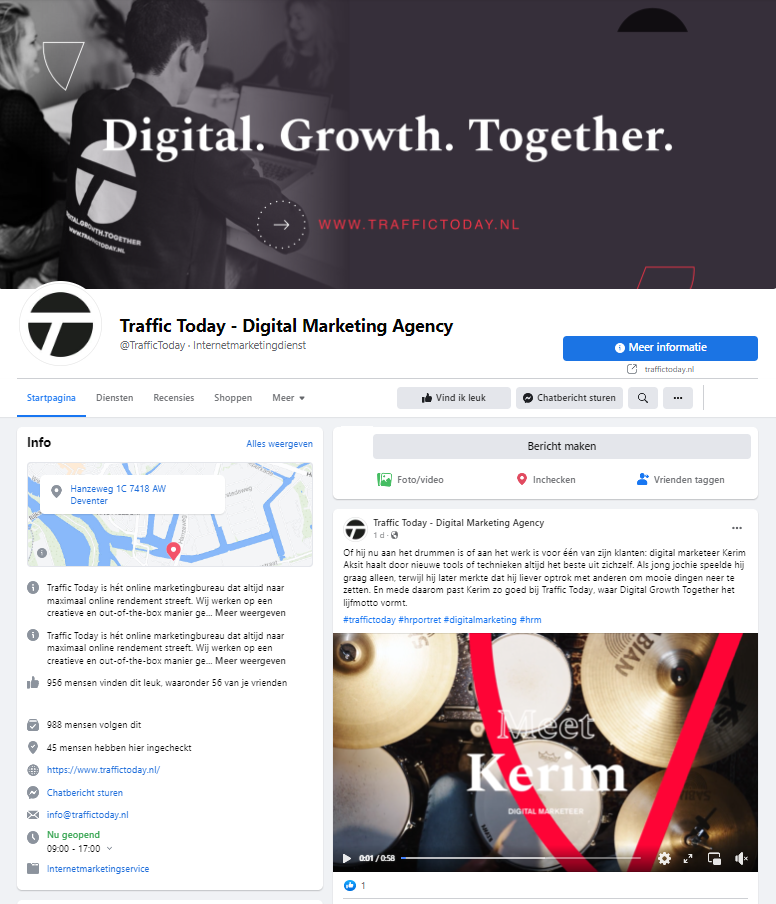
Once you’ve set up a Facebook page, it’s important to post regularly. You’ll find that you might not have a huge number of followers straight away, but that’s normal. Consistent posting and maintaining value are key here. Draw up a content plan and decide in advance what you want to post. It’s best to plan your monthly posts. Also, keep an eye out for key opportunities to tie in with your business. Another effective approach is to come up with fixed formats: that way, you don’t have to keep reinventing the wheel. Always stay true to your business. So stick to a single tone of voice and incorporate your corporate identity into your visual content. This ensures brand recognition.
To reach your target audience, it can certainly be worthwhile to advertise on Facebook. Once you have a Facebook business page, there are plenty of options for advertising on Facebook. For example, you can set up an advert to catch the attention of people who do not yet follow or know your business. You can also reach people who have previously visited your website. This allows you to catch this target audience’s attention once again and perhaps give them that final nudge to take a specific action. Whatever your goal, it’s important to take a strategic approach. What do you want to achieve with the advert? How will you engage your target audience? And how much are you willing to spend? It’s also a good idea to keep testing. Run several campaigns at the same time and assess which advert works best.
Do you want to get the most out of your Facebook business page too? Then outsource your Facebook optimisation to Traffic Today. We’ll take care of the entire marketing aspect for you. Sound good? Feel free to get in touch to discuss the options; we’d love to welcome you with a nice cup of coffee.




Our team is
ready to help you